
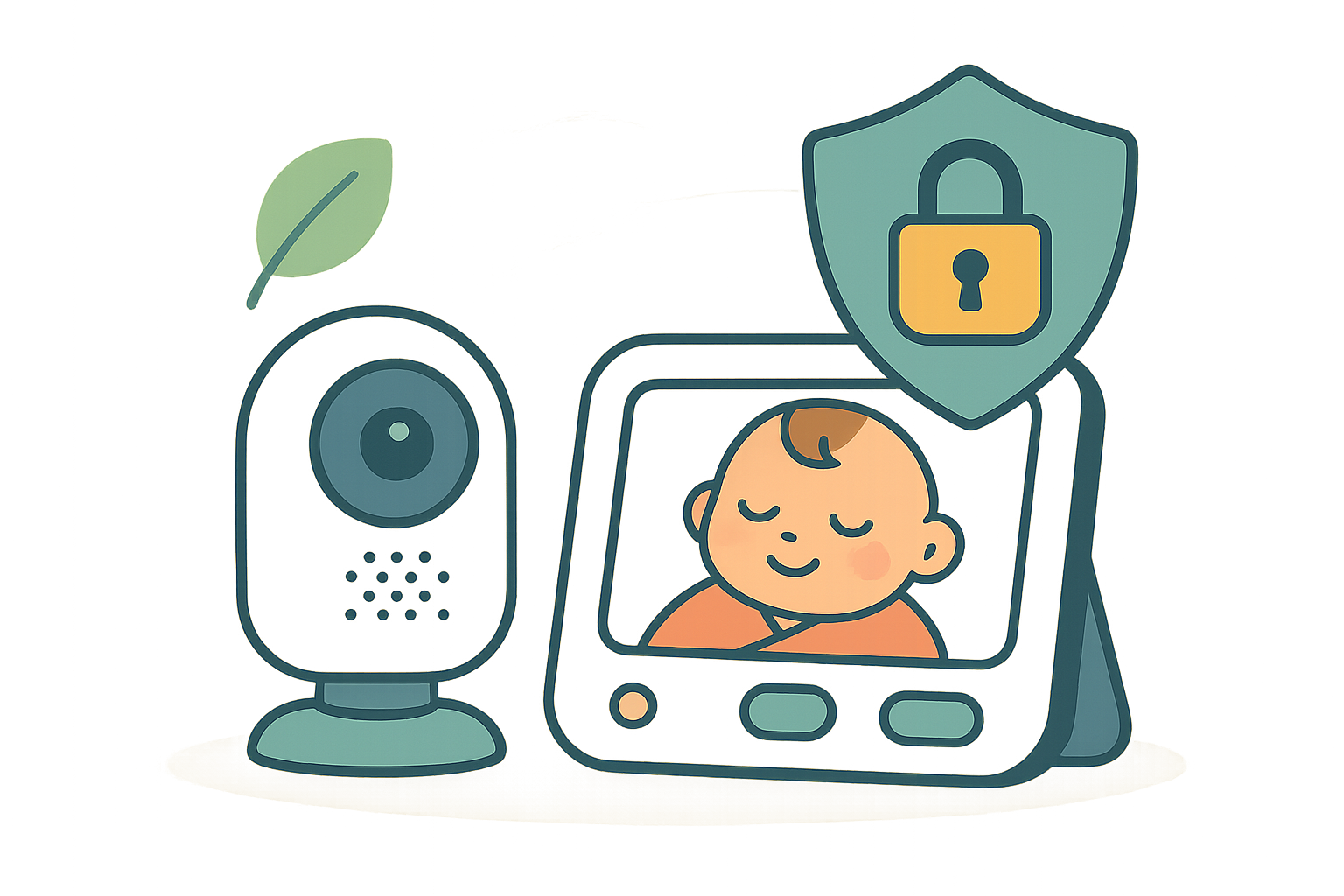

If you’ve ever stared at the glow of a baby cam at 2 a.m. and wondered what it’s made of or who might be able to see that feed, you’re in the right place. This guide is for parents who care about both the plastic touching the crib and the data leaving their home.
We focus on two big things. Safer materials around your baby. Strong privacy so your video stays yours. Then we pick the monitors that actually balance those with good battery life, clear picture, and sane setup.
Here’s the short version. You do not need a space station. You need a monitor with known materials, current encryption, and a vendor that still ships security updates. In the picks, we tell you what to buy. In the settings notes, we show you how to lock it down.
If you want to go deeper on nursery safety, see our non-toxic nursery and safe sleep guides. If you just want the best video baby monitors 2026 list, skip ahead to the picks later in this piece.
Quick Comparison


Quick win to do right now, no matter what you own: open your monitor app, install any pending firmware update, and turn off cloud sharing until you need it.
Why materials and privacy matter in a baby monitor
What non-toxic really means here
Monitors live inches from tiny lungs and hands. We look for housings and cables that avoid PVC where possible, low halogen content, and no added flame retardants in the enclosure where alternatives are used. RoHS and REACH compliance are table stakes. A plain, matte finish usually means fewer soft-touch coatings that can degrade. We also check for UL and FCC certifications for electrical safety and emissions.
If a brand publishes a materials statement or safety data sheet, that is a green flag. If they only say “BPA free” and nothing else, that is not enough for electronics.
EMF and heat, in plain English
Video monitors are radios. They emit at low power similar to a Wi‑Fi device or cordless phone. Distance is your friend. Keep cameras at least 6 feet from the crib and never route power cords within reach. We measure surface temps because hot plastics can off‑gas more. A cooler, vented camera body is better than a sealed, toasty one.
Limitation to know: if you live in a large house with thick plaster or brick, radio range will drop. You may need a Wi‑Fi model with mesh support instead of a dedicated radio link.
Where your baby’s video actually goes
Privacy starts with where footage lives. Local‑only models keep video on the parent unit or a microSD card. App‑based monitors often stream to the cloud by default. We favor end‑to‑end encryption for any internet streaming, the option to run local‑only, and a clear data retention policy you can set yourself.
Red flags:
- Default passwords that are not forced to change
- Open peer‑to‑peer connections you cannot disable
- No public firmware changelog or update schedule
If a company can’t tell you how it encrypts video or how often it patches bugs, pick another monitor. A privacy‑focused baby monitor should make these basics easy to find.
How to choose a video baby monitor in 2026
Security must‑haves you can verify
- Encryption you recognize. Look for AES‑128 or AES‑256. For Wi‑Fi, WPA3 is ideal, WPA2 at minimum. For cloud viewing, end‑to‑end encryption is best.
- Local‑only mode. You should be able to use the monitor without sending video to the internet.
- Account controls. Unique user accounts with two‑factor authentication. No shared logins.
- Update policy. A public commitment to firmware updates and a way to install them from the app.
- Physical controls. A lens shutter or status LED you can disable without losing security alerts.
Do this first on day one:
- Change the admin password and enable two‑factor authentication
- Rename the camera to something boring, not “Nursery”
- Disable UPnP on your router and turn off cloud recording until you actually need it
Picture, range, and power that actually matter
- Resolution and sensor. A clean 1080p image with good low‑light is enough. HDR helps with bright windows.
- Night vision. Look for near‑IR LEDs that do not glow brightly. Red lights can distract some babies.
- Range. If you choose a non‑Wi‑Fi radio monitor, test it in your farthest room on day one.
- Power. Battery in the parent unit should cover a night without a charge. Cameras should have strain‑relieved cords and secure wall mounts. UL‑listed adapters only.
Edge case: rural internet or strict work networks can block some app‑based monitors. If remote viewing is mission‑critical, confirm it works on your network during the return window.
Materials, support, and the company behind it
- Materials snapshot. Ask about PVC content in cords, any brominated flame retardants, and coatings on the housing. RoHS and REACH compliance should be written, not implied.
- Warranty and repair. One year is standard. Longer is better if they also commit to security updates for at least three years.
- Transparency. Clear privacy policy, clear permissions in the app, and a way to export or delete your data on request.
If you ever feel a hard sell from the app to “unlock premium cloud forever,” pause. Great hardware should work safely offline, with cloud as a choice, not a requirement.
1. HelloBaby 4.3″ Video Baby Monitor with 30‑Hour Battery, No‑WiFi Privacy & Remote Pan‑Tilt‑Zoom
Best Overall
Easy, secure baby monitor: 4.3″ IPS screen, private no‑WiFi link, pan‑tilt‑zoom, night vision, two‑way talk, and an all‑day battery in Eco mode. Want the details?
$36.99 on Amazon
Price and availability are accurate as of 04/25/2026 04:15 am GMT and are subject to change.
Who it’s for: parents who want a dead‑simple, private monitor that just works. No apps. No logins. No cloud. The 4.3 inch IPS screen is big enough to see tiny chest rises at 2 a.m., and the battery can stretch through a long day in Eco mode. Grandparents and caregivers love it because setup is basically plug, pair, and go.
Why we picked it: it nails the basics that matter for safety and privacy. The private no‑WiFi link keeps the feed off the internet. Remote pan‑tilt‑zoom makes crib placement forgiving. Night vision and two‑way talk cover the rest. Battery life is a real perk for naps on the go or late‑night feedings when you do not want to be chained to a charger. You can check current details at HelloBaby 4.3″ Video Baby Monitor with 30‑Hour Battery, No‑WiFi Privacy & Remote Pan‑Tilt‑Zoom.
The trade‑offs: there is no phone app or remote viewing. If you need to peek in from the office, this is not your pick. Like most no‑WiFi monitors, range can drop with thick walls or busy 2.4 GHz airspace. And you will not find cloud clips or app‑style alerts.
Privacy tip: keep it offline as intended. Use Eco mode so the screen sleeps when you do. Do not leave the parent unit unattended in shared spaces. If you ever sell or gift it, factory reset and re‑pair the camera in the new home.
Practical setup: mount the camera high and off‑reach, at least 3 feet from the crib, and use a cord cover to eliminate grab risk. Start with mid‑level brightness on the IPS screen for night checks, then bump it only when needed to save battery.
2. Momcozy BM03 1080p Baby Monitor, 5.5″ Screen, No Wi‑Fi, 120‑Hour Battery
Best Splurge
See baby in crisp 1080p on a roomy 5.5″ screen, with a private no-WiFi link and days-long battery. Night vision + VOX alerts keep you in the loop; SD clips, too. Worth a look.
$139.99 on Amazon
Price and availability are accurate as of 04/25/2026 07:18 pm GMT and are subject to change.
Who it’s for: parents who want crisp video and strong privacy without an app. If you like the idea of a big, easy screen and a battery that can stretch for days, the Momcozy BM03 is a calm, offline choice for home and travel. It’s also a nice fit for caregiver houses where Wi‑Fi setups get messy.
Why we picked it: the 1080p picture is clean, the 5.5 inch display is easy on tired eyes, and the no‑Wi‑Fi link keeps your baby’s room off the internet. Night vision and VOX alerts handle the overnight basics, while optional SD clips keep footage local. From a safety and privacy lens, fewer cloud connections mean fewer doors to lock.
The trade‑offs: no app, no remote check‑ins from dinner. The larger screen unit takes more bag space. Materials info isn’t detailed, so we’d do the usual sensible steps: unbox, let it air out, and keep the camera well out of reach. For privacy, use VOX instead of constant screen‑on, and turn off SD recording when you don’t need clips. If this sounds like your setup, you can check current availability here: Momcozy BM03 1080p Baby Monitor, 5.5″ Screen, No Wi‑Fi, 120‑Hour Battery.
FAQ
Buying decisions
Q: Are video baby monitors safe to use around babies?
A: Yes when placed and used correctly. The bigger risks are cords and poor placement, not the camera itself.
- Keep the camera and any cords at least 6 feet from the crib. Use a cord cover.
- Mount securely so nothing can fall into the crib.
- Check for UL or ETL safety listing and FCC compliance.
- Use night vision as designed. Do not point LEDs inches from baby’s face.
Privacy and security
Q: Are Wi-Fi baby monitors safe from hacking?
A: They can be very secure if you lock them down. Nothing online is zero risk. If you want the lowest risk, pick a local-only monitor. If you want app access, look for end-to-end encryption, 2FA, and a clear update policy.
Q: What settings should I change on day one to lock it down?
A: Do these quick steps:
- Update firmware and the app before adding baby’s room.
- Create a strong, unique password and turn on two-factor authentication.
- Disable cloud or remote viewing if you do not need it. Prefer local storage.
- On your router, use WPA3, change the default admin password, and turn off UPnP and port forwarding.
- Review app permissions. Remove mic, location, or contacts access if not required.
- Limit shared accounts. Use viewer-only access for caregivers.
Materials and emissions
Q: What chemicals should I avoid in a baby monitor, and how can I check?
A: Avoid PVC in cords, brominated or organophosphate flame retardants in housings, PFAS coatings, and antimicrobial additives.
- Look for RoHS compliance and a REACH SVHC statement.
- Ask support for a materials disclosure for the housing and cable jacket.
- Check for California Prop 65 warnings and why they apply.
- If the brand says “halogen-free enclosure” or “PVC-free cable,” that is a plus.
If you take one thing from all this, let it be this: you do not have to trade your baby’s privacy for convenience. You can get a clear video feed, solid range, and a build that avoids the worst materials.
Pick your path first. Local-only with its own screen if you want zero internet exposure. Or Wi‑Fi with strong encryption and local storage if you want phone access when you are away. Both can be safe when set up right.
On materials, aim for the simple wins. BPA and BPS free plastics. No PVC where your baby can reach cords. RoHS compliance. Low‑odor finishes. And skip anything that smells like a new pool toy.
From here, your job is not to chase specs. It is to place the camera safely, lock down the software, and then go get some sleep.
Your next steps: a quick setup and safety plan
Decision recap: pick your path
- Choose a local‑only handheld monitor if you want the smallest attack surface and simple setup. Many use FHSS radio, which is like a constantly changing channel that is harder to intercept.
- Choose a Wi‑Fi monitor if you need remote access. Look for end‑to‑end encryption, local storage as the default, and a clear firmware update policy. End‑to‑end encryption means only your devices can decode the video. Not the company. Not the cloud.
- If you are in a condo with crowded networks, local‑only can be more stable. If you co‑parent from different homes, a locked‑down Wi‑Fi model can make life easier.
10‑minute privacy lock‑down checklist
- Change default admin passwords on day one. Use a unique, strong passphrase.
- Turn off cloud viewing and sharing unless you truly need it. Prefer local storage and local‑only mode.
- Enable two‑factor authentication in the app.
- Update firmware during setup. Set auto updates if offered.
- Put the monitor on a guest or IoT Wi‑Fi network with WPA3 or at least WPA2 AES.
- Review app permissions. Camera and mic access are fine. Contacts and location usually are not.
- Disable unused features like voice assistants, public sharing links, and third‑party integrations.
Placement, cords, and EMF basics
- Mount cameras at least 3 feet from the crib, ideally 6 to 10 feet away and angled down. No cords near little hands. Use cord covers or an in‑wall kit.
- Avoid drilling through the crib or clipping cameras to crib rails. Babies pull everything.
- Keep the parent unit and chargers away from bassinet edges and bedding.
- If EMF is on your mind, increase distance and use local‑only models while you are home. Distance drops exposure more than any sticker claim ever will.
How we test, score, and disclose
What we measure and why
- Materials and finishes: BPA and BPS claims, PVC in cords, flame retardant disclosures, smell off‑gassing during unboxing, and documentation like RoHS or REACH statements.
- Privacy and security: encryption in transit and at rest, local‑only options, default settings, account controls, and whether basic safety is possible without an account.
- Reliability: signal stability, night vision clarity, latency, battery life, and range through walls that look like real homes.
- Support: warranty terms, firmware update cadence, and whether privacy policies are readable and specific.
Lab and at‑home testing details
- We unbox in a small nursery space and a larger open living room to check range, interference, and night vision glare.
- We test on a separate guest Wi‑Fi network, then offline where supported, to see what still works without the internet.
- We read privacy policies and security docs line by line, and we contact support with specific questions around encryption, storage, and update policy.
- We note firmware and app versions we tested so we can retest after updates.
Data sources and conflicts disclosure
- Our findings come from hands‑on use, public documentation, and direct manufacturer answers. When there is a gap or marketing claim we cannot verify, we say so or we do not recommend the feature.
- If you buy through our links, we may earn a commission. It does not change which products we pick or what we say.
- Reviewed in 2026. If a model changes materials, privacy terms, or firmware in a meaningful way, we will retest.
A few edge cases to keep in mind:
- If you rely on medical devices like apnea monitors, prioritize reliability and offline function. Test everything together before the first night.
- If you use a mesh Wi‑Fi system with aggressive band steering, lock your monitor to 2.4 GHz for setup. Many cameras do not love 5 GHz during pairing.
Quick action plan:
- Decide local‑only or Wi‑Fi with end‑to‑end encryption.
- Check for RoHS, BPA/BPS‑free claims, and no PVC cords where reachable.
- Set strong passwords, enable two‑factor, and update firmware.
- Mount the camera safely with cords fully covered.
- Turn off cloud features you do not need.
- Sleep. You made a good call.





Leave a Comment